What automation is and who it helps
Automation means using tools to do routine tasks without you doing them by hand each time. It is not just using WhatsApp or Excel. It starts when you set up rules so the system acts on its own, like sending a bill after an order. You do not always need a custom app. No-code tools count as automation if they run tasks without you typing each time. For example, a WhatsApp bot that sends order confirmations using a template is automation.
Many small businesses in India already use WhatsApp for updates. With over 500 million users, it is a trusted channel. Messages open 90% of the time, far more than email. But sending each message by hand is not automation. True automation uses the WhatsApp Business API through a Meta-approved provider. You must use a business number, not your personal one.
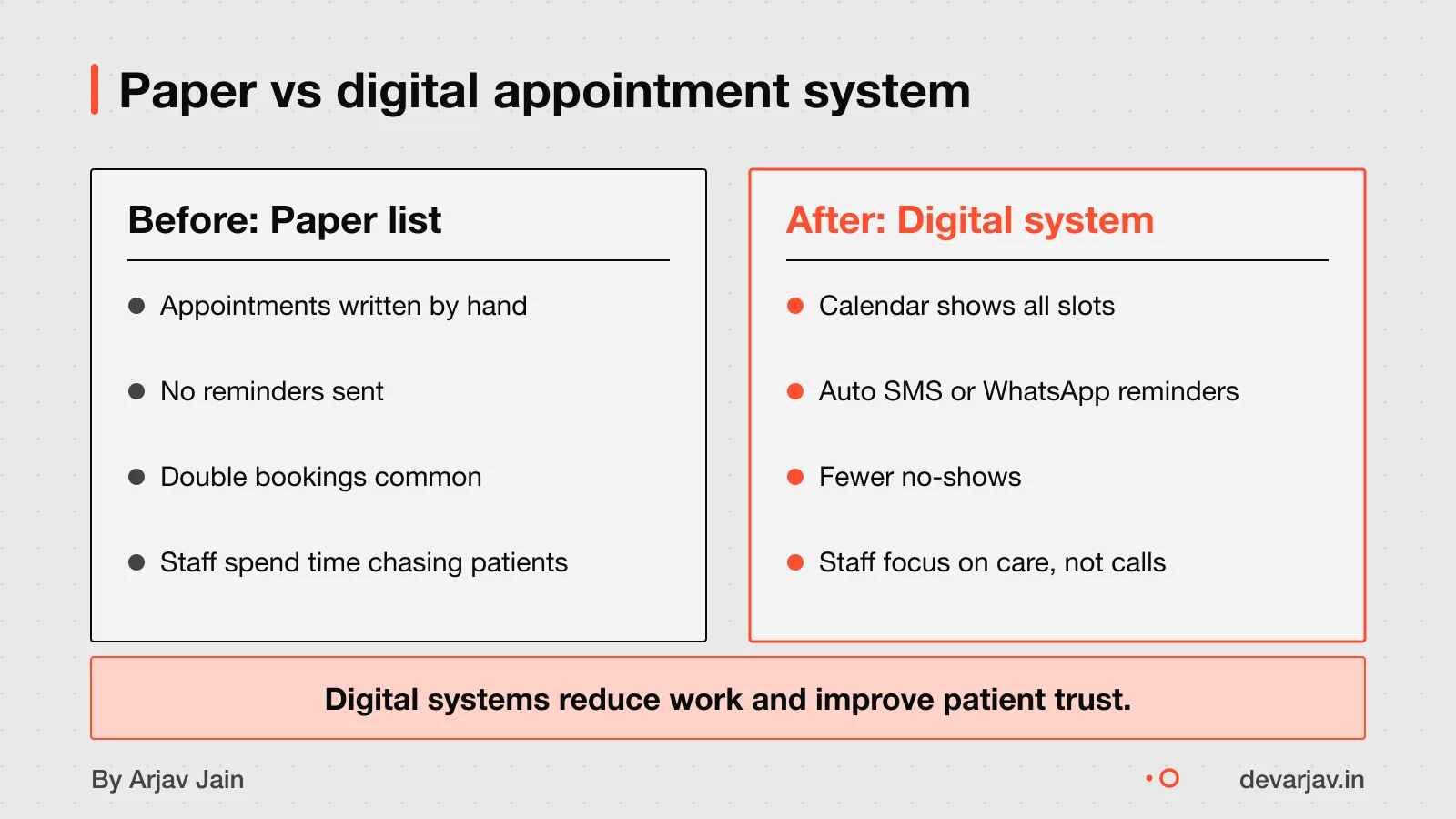
Businesses gain the most when they automate high-impact, low-effort tasks. These include invoice processing, appointment reminders, follow-ups and data entry. A clinic can auto-send check-up dates. A shop can auto-share bills. A tuition centre can track attendance and send fee alerts.
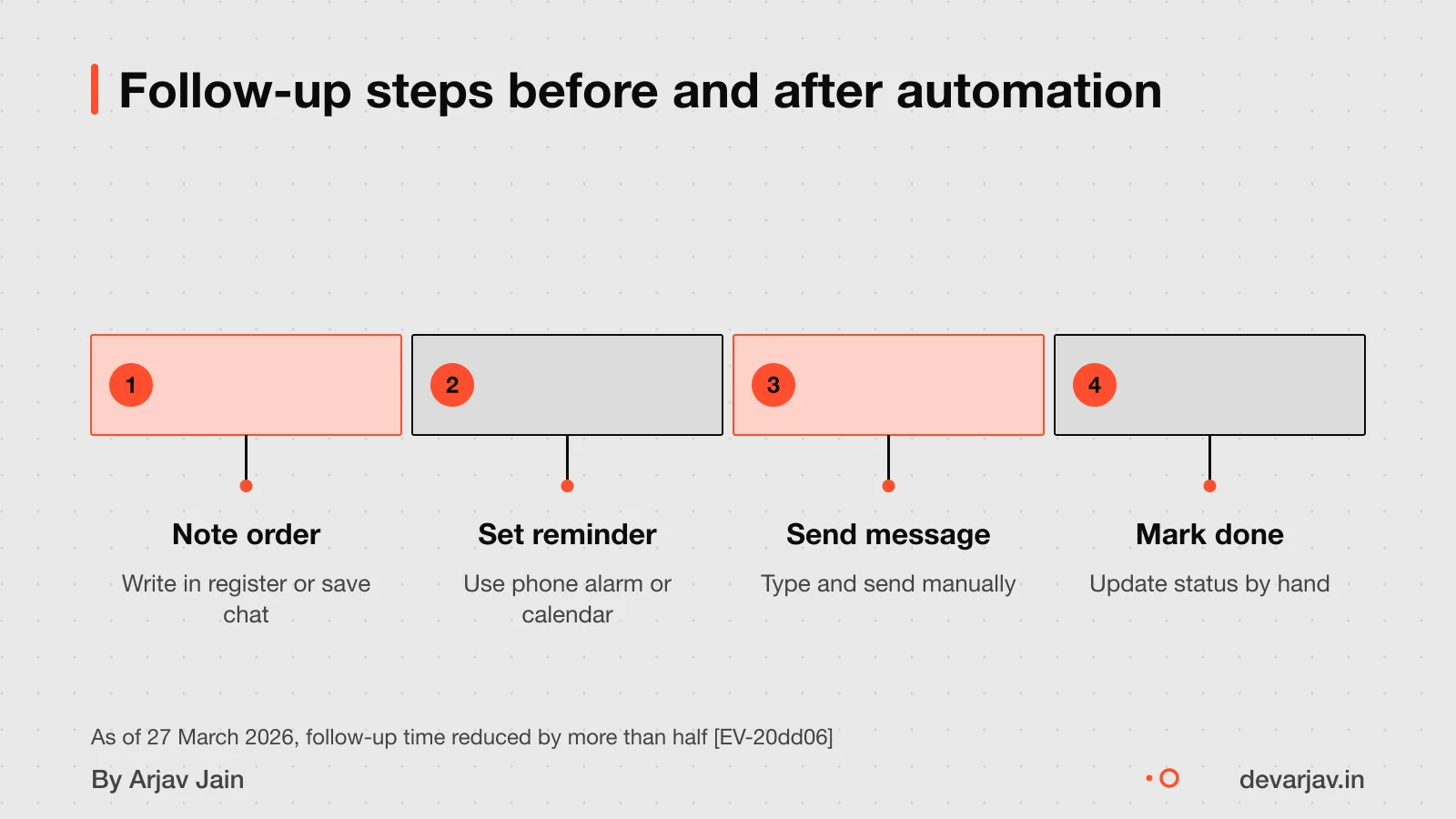
Customer support, scheduling and internal workflows are safe places to start. When done right, WhatsApp automation cuts follow-up time by more than half and lifts lead engagement by 66%. You can mix WhatsApp with email, SMS and CRM data in one system.
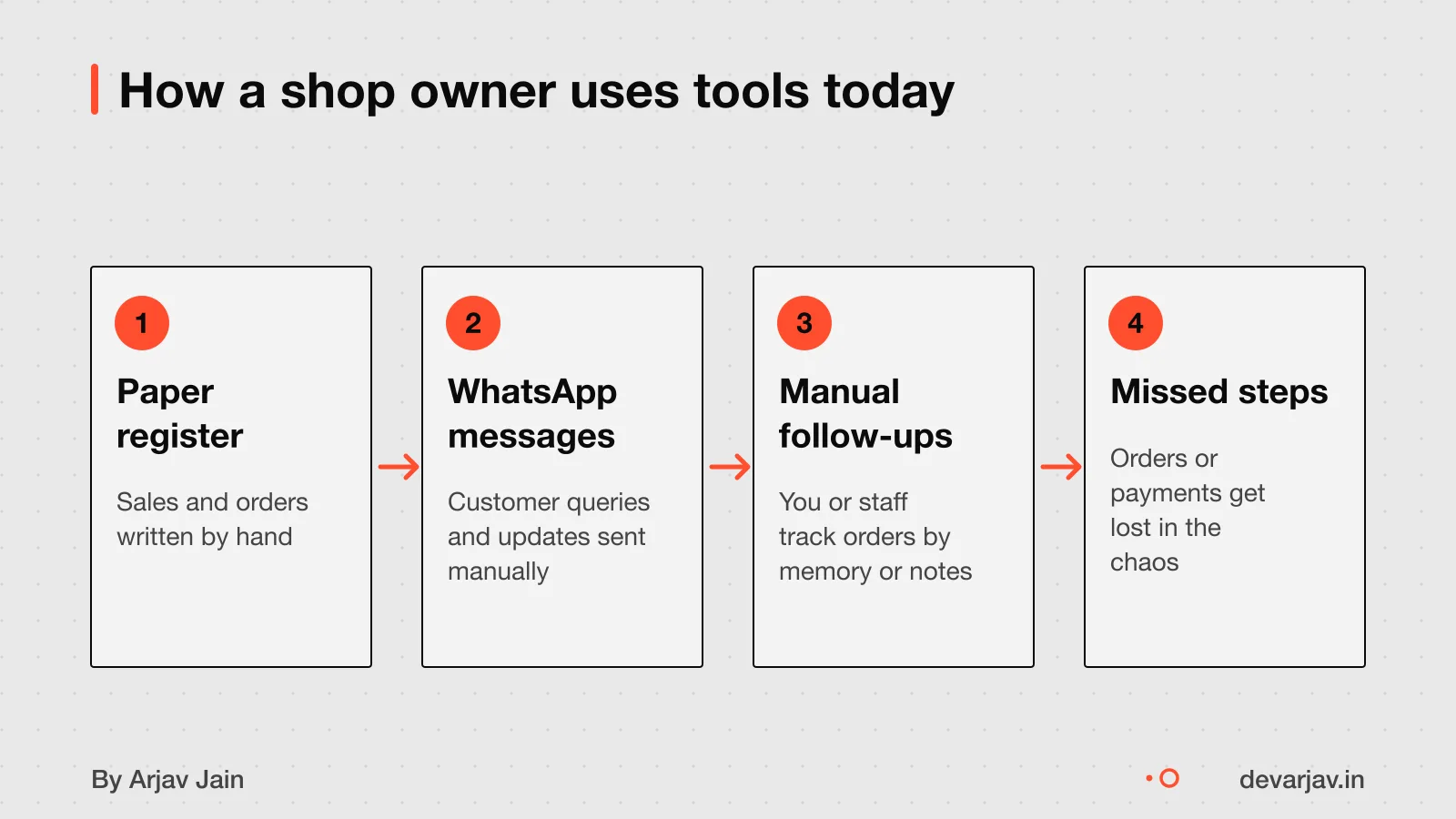
This helps small shops, clinics and service providers in tier-2 and tier-3 towns. If you still use paper registers or type messages one by one, automation can save hours every week. It works best when you map your real process first, what you do today, before asking a developer to build it.
When should you not automate your business?
Do not automate if your process is broken or unclear. Automating a messy workflow creates faster, more expensive errors. For example, if your billing has gaps or mistakes, automation will repeat those errors at scale, not fix them. First, fix the process on paper or in daily practice before asking a developer to code it.
Automating a low-impact task is often a waste. If a task takes 10 minutes a week, spending ₹50,000 to save that time is not worth it. Choosing the wrong process to automate causes 28 per cent of project failures. Focus on tasks that take hours, cause delays, or lead to frequent mistakes.
Automation can make errors faster and harder to catch. Without clear rules, bots repeat mistakes silently. Weak change management causes 35 per cent of automation failures. Staff must understand and follow the new system, or it will break down. Over-engineering also adds cost and complexity. Keep it simple and test small first.
If a past automation failed, you may need help to fix it. Rescue a failed or abandoned app to recover value from old work.
How much automation costs
This covers one repeatable task like order logging or appointment booking. For a full system with CRM, inventory and WhatsApp integration, expect ₹75,000 to ₹2,00,000. More processes mean higher cost because each one needs mapping, testing and error handling. For example, automating both billing and delivery tracking will cost more than just billing.
Custom features raise the price since they take more time to build and test. A standard report might be included, but a live dashboard with filters and export options adds work. Integrations with tools like WhatsApp Business API, Google Sheets or accounting software also increase cost. Each connection needs secure setup, data sync and maintenance. For instance, pulling customer data from WhatsApp into your CRM is possible but not free.
The final cost depends on your business size, the number of workflows, and how much you want to change standard features. You can keep costs down by starting with one high-impact task and adding more later. If you need WhatsApp deeply built in, see the detailed WhatsApp Business API integration cost for clearer numbers.
Want a number for your idea? Send one line on WhatsApp. I reply with what drives the cost and what to cut.
Message me on WhatsAppCustom app vs no-code vs WhatsApp: which to choose?
The WhatsApp Business App is free and works if you send fewer than 20 messages a day. It runs on one phone only and supports basic automations like welcome messages and quick replies. For a small shop replying to customer queries, this may be enough.
No-code tools like Wati or AiSensy let you build more advanced workflows without writing code. As of April 2026, 70% of new apps are built on low-code or no-code platforms. These tools can send order confirmations, collect feedback, and update spreadsheets automatically. But your control is limited to what the platform allows. You cannot change core features or add unique functions.
Build a custom app when your needs go beyond templates. For example, if you need offline access, integration with local billing software, or role-based staff dashboards, a custom app is better. It gives full control but costs more and takes longer. Use no-code for speed and simplicity, custom apps for uniqueness and scale.
If your shop grows beyond 20 daily messages or needs multi-device access, the free WhatsApp app will not be enough. You can then consider WhatsApp Business API providers, which support automation across teams and devices.
Still unsure between no-code and custom? Tell me your budget and timeline and I will say which fits.
Message me on WhatsAppWho owns the code and data after automation?
You own the data in your system if you pay for it, as it is your business records. But the ownership of the code depends on your contract with the developer. Without a written agreement, you may not own the source code, even if you paid for it. This means you could face delays or extra costs if you switch developers later.
If you use a no-code platform, the platform owns the code. You only get access to run your app on their system. If they shut down or change prices, your automation could stop working. You still own your data, but moving it may be hard.
To protect yourself, ask for a contract that states you own both the code and data. For custom apps, this is more likely than with no-code tools. Always get these terms in writing before work starts.
Since there is no published standard in India for code ownership in client-developer contracts, this advice is based on general practice. The exact terms depend on your agreement. Ask your developer to confirm in writing who owns the code and how you can move your data.
How to start automation safely
Before hiring a developer, write down how you do one task from start to finish. For example, list every step you take to confirm a customer order, from the first message to delivery. This helps you and the developer see where time is lost and what can be automated.
To map your current process, walk through it as if you are training a new worker. Note each person involved, each tool you use (like WhatsApp, paper register or Excel), and where delays happen. A simple list or flowchart on paper is enough. Do not skip steps you think are “too small”, these often cause the most errors.
Yes, start with one workflow. Pick a routine task that repeats every day or week, like sending payment reminders or updating stock. Automating a single, well-understood task gives you a working result fast and reduces risk. If it fails, only one part of your business is affected.
Once mapped, share this document with any developer you consider. It sets clear expectations and helps them give a realistic quote. A developer who asks for this first is more likely to deliver something useful.
Want a number for your idea? Send one line on WhatsApp. I reply with what drives the cost and what to cut.
Message me on WhatsAppWhen this advice does not apply
- If your process is unclear, automation will not help. It may even make mistakes faster and cost more to fix. First, map your steps on paper or in a list until you can explain them to a new worker.
- If your process keeps changing or has no set rules, custom automation is too risky. Tools like spreadsheets or no-code apps may be safer until you find a stable routine.
-
- If the developer refuses to share the code or login access, consider it a warning sign. You should own your data and have a way to move or update the system later.
- Some developers lock clients in with hidden access controls. Always agree in writing that you will get full access and source code when each stage ends.
Related reading: How to integrate WhatsApp Business API, WhatsApp bot or your own app?.
Next step: message me on WhatsApp with what you want to build. No forms, no sales team.
Message me on WhatsAppAssumptions behind the numbers
- Assumption: One workflow = one clear sequence of actions, e.g., invoice → reminder → follow-up.
- Assumption: Business has a stable process that repeats at least 10 times a month.
- Assumption: Client provides access to a business WhatsApp number during setup.
- Assumption: Five test users are available from the client’s side for feedback.
What is in it, and what is not
Business automation that saves time, not adds confusion — starting at ₹25,000 for one clear workflow like invoice reminders or appointment follow-ups.
- 01One clear workflow
Such as invoice reminders, appointment follow-ups or stock alerts — fully mapped and tested.
- 02WhatsApp message templates
Pre-approved templates for common replies and broadcasts, linked to your business number.
- 03Process mapping session
We walk through your current method to spot gaps and define the automated version.
- 04Testing with real users
Five actual users try the flow before it goes live, giving feedback you can act on.
- 05Training and handover
Short training for your team and a document explaining how the automation works.
How it runs: milestones you can test
- 1Map current process
You can test: Document your manual steps and pain points in writing.
- 2Pick one workflow
You can test: Agree on which task to automate first and why.
- 3Approve message templates
You can test: Finalise the language and flow of automated messages.
- 4Test with 5 users
You can test: Run the automation with real users and collect feedback.
Right for you if
- You have one clear, repeatable task causing delays or errors.
- You use WhatsApp regularly and want to reduce manual replies.
- You can describe your current process in 2 to 3 steps.
Look elsewhere if
- You want to automate everything at once without a pilot.
- Your process changes daily or depends on verbal instructions.
- You expect AI to guess what to do without clear rules.
How it is priced
Price depends on workflows, not hours. You pick a range — Basic (₹25k–75k) or Small Business (₹75k–2L) — and we agree what fits. Higher costs possible for complex systems, but not verified.
Questions to ask before you sign, with anyone
- Which task are we automating first?
- Who owns the WhatsApp business number?
- What happens if we pause mid-project?
- Will I get message templates in my brand voice?
- Can I test before going live?
Quick answers
What counts as one workflow?
A workflow is one repeatable task, like sending invoices or confirming appointments. Not a whole department.
Can I use my personal WhatsApp number?
No. You need a business number, either physical or virtual, to stay compliant.
Is WhatsApp automation enough for my business?
For shops and clinics with rule-based replies, yes. For complex sales or HR, you may need more.
Do I own the automation setup?
Yes. Templates and flows are handed over in your name. No code is shared before sign-off.
What if I add more workflows later?
Each new workflow is scoped and priced separately. We do not assume extras.
Questions people ask
Should I map my process before automation?
Yes, you should map your process before automation. Begin with one process that has a clear business objective and review your current workflow to find gaps. This helps avoid automating a broken or unclear process, which can lead to faster, more expensive errors.
What payment models are common for automation projects?
Common payment models are fixed price, time & material, and dedicated team. Indian outsourcing companies offer these models to fit different needs. Choose based on your project’s size, clarity, and how much control you want over time and cost.
Can I set up WhatsApp automation without a developer?
Yes, you can set up WhatsApp automation without a developer. Use no-code platforms like AiSensy, Wapikon, or Interakt to build chatbot flows and connect integrations without coding. These tools let small businesses in India manage broadcasts and replies on their own.
Can I send bulk messages legally via WhatsApp?
Yes, you can send bulk messages legally via WhatsApp Business API if you have customer consent and use pre-approved message templates. Do not use your personal number; get a dedicated business number. Check this for your case with a chartered accountant or lawyer.
Does automation reduce customer trust?
Wrong messages or errors in automation can reduce customer trust. If an automated message is off-brand or incorrect, stop the process at once and assess the damage. Test all messages and workflows before going live to avoid harm.
Can I create my own process map?
Yes, you can create your own process map. Use paper or a whiteboard to draw your current workflow step by step. This helps you spot inefficiencies and decide what to automate first.
What causes automation projects to fail?
Automation projects fail most often due to weak change management (35%) and choosing the wrong process to automate (28%). Train your team and pick a stable, high-impact process to start with.